Case study 2
My role
As lead designer, I redesigned the mobile and desktop shift swap flow within our fire and EMS scheduling software.
The goal: A responsive design, making it easy for employees to trade shifts and eliminate manual processing for managers.

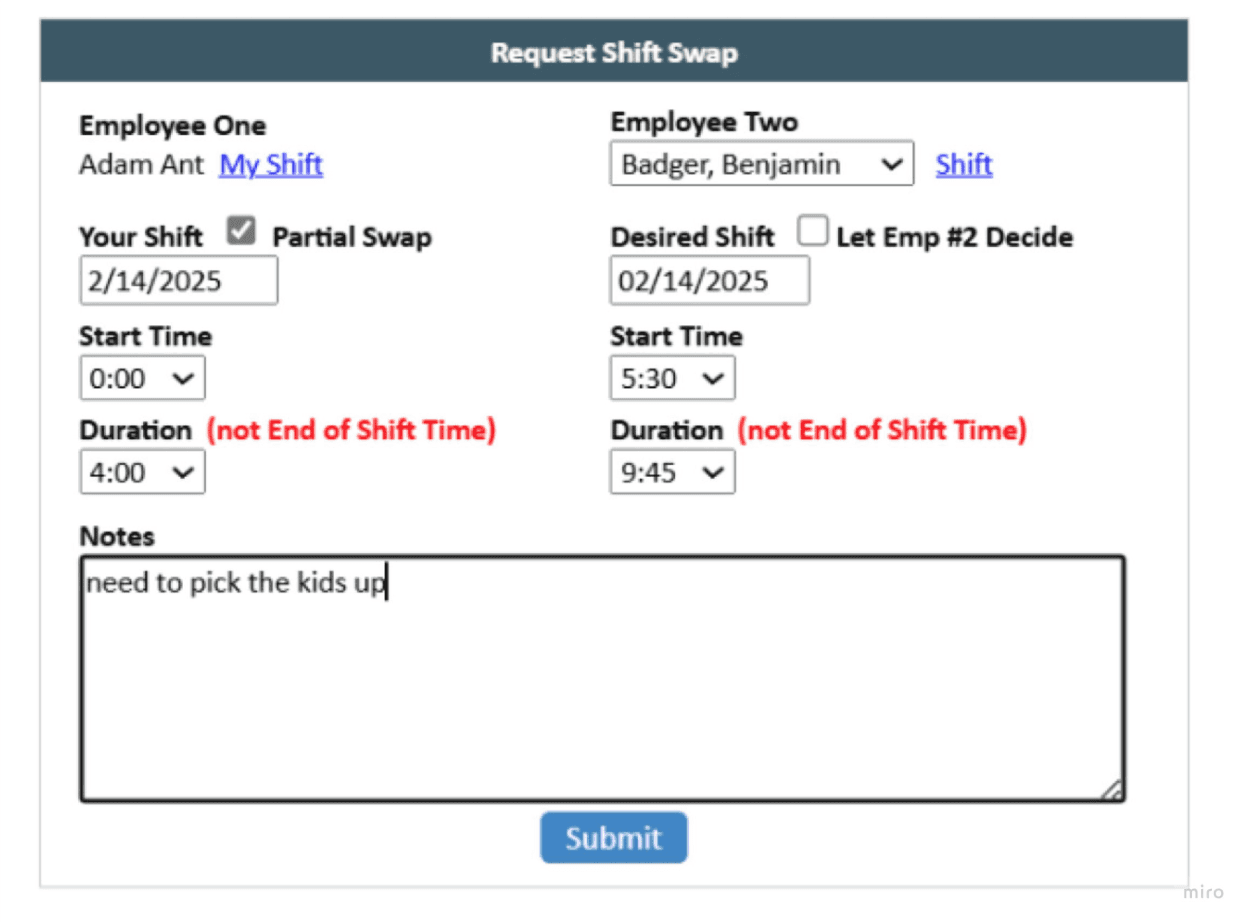
User pain points
Employees needed an easier way to manage shifts - Employee engagement with our scheduling platform was declining due to a clunky, non-intuitive shift swap user flow, in particular a poor mobile experience.
Basic tasks required too much effort - Basic tasks required too much effort . The cumbersome user flow made simple actions like shift swaps difficult for employees. For managers, it was often quicker to process changes manually rather than use the system, creating friction for both groups.
Platform issues
Many features had been 'bolted' on to the user flows to meet customer requests on an ad-hoc basis.
This poor mobile experience affected adoption and user satisfaction of the platform's self-service functionality.
Designed a fully responsive mobile experience, addressing the core adoption barrier identified in research.
Took an iterative approach, testing and refining with users throughout development.
Decisions: Time constraints meant we needed to validate our approach quickly. Working with the Product Manager, I interviewed 5 customers about their current workflows, needs, and pain points.
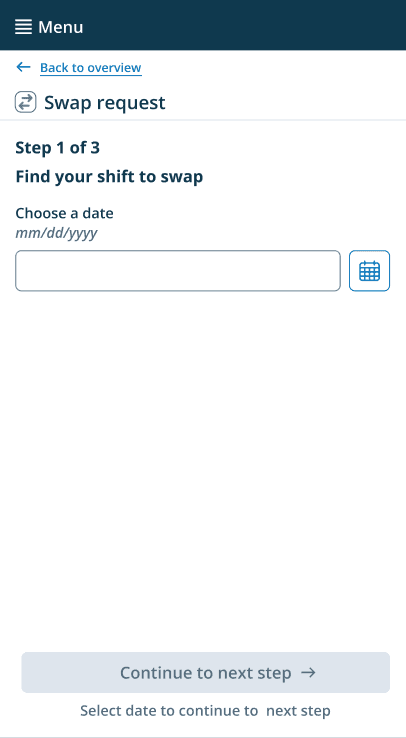
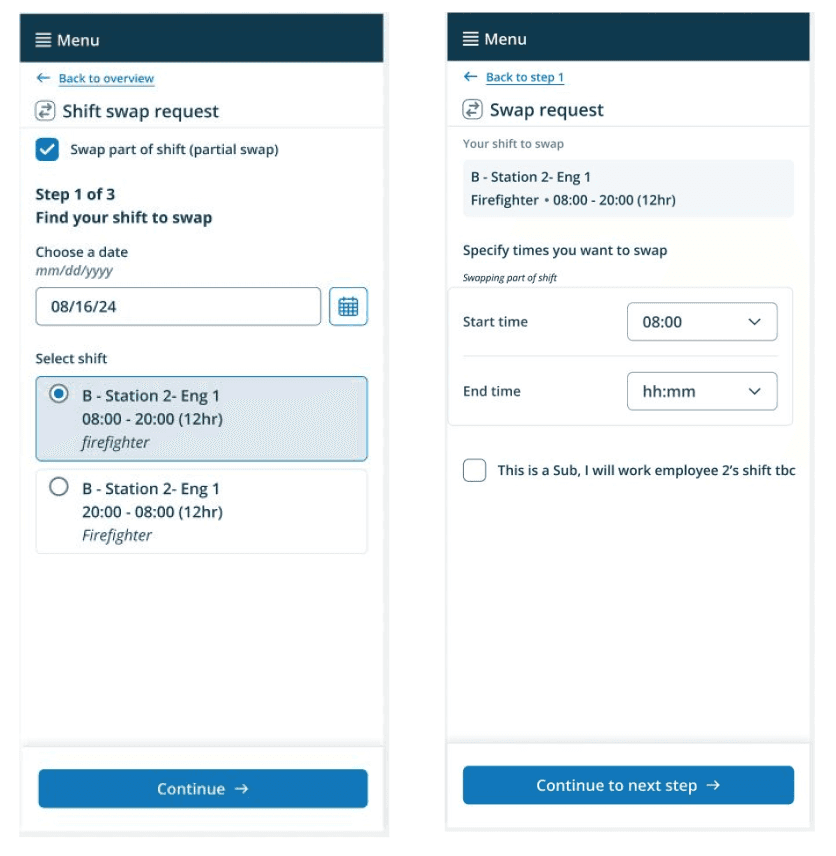
Their feedback shaped Version 1's core change: I simplified the workflow into a stepped approach. Users would select the date first, then choose which shift to swap. This addressed the primary pain point while keeping development scope manageable.
We launched this as a beta to a wider group of agencies to gather more feedback before iterating.
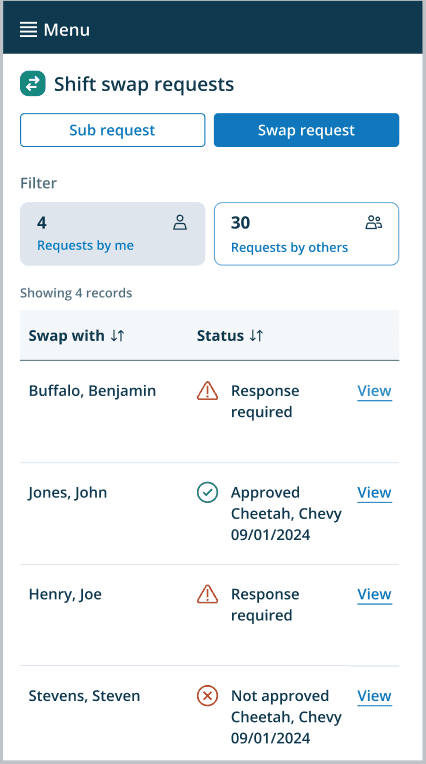
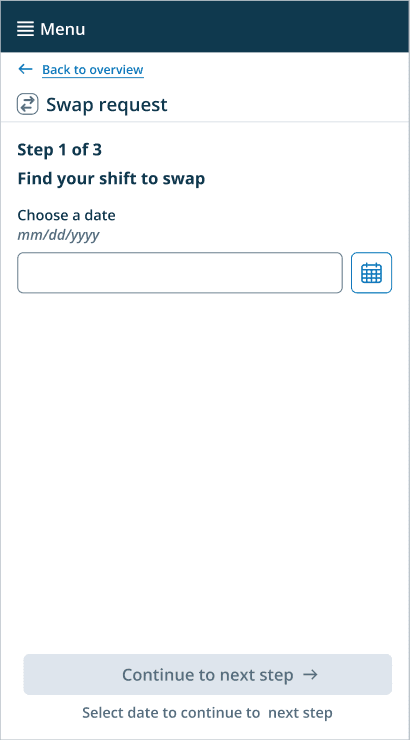
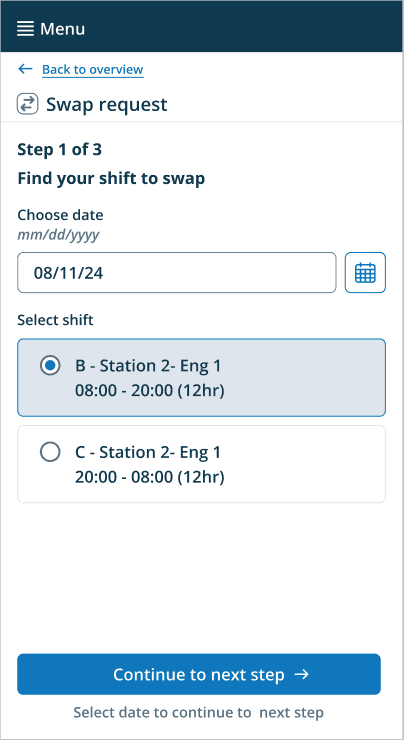
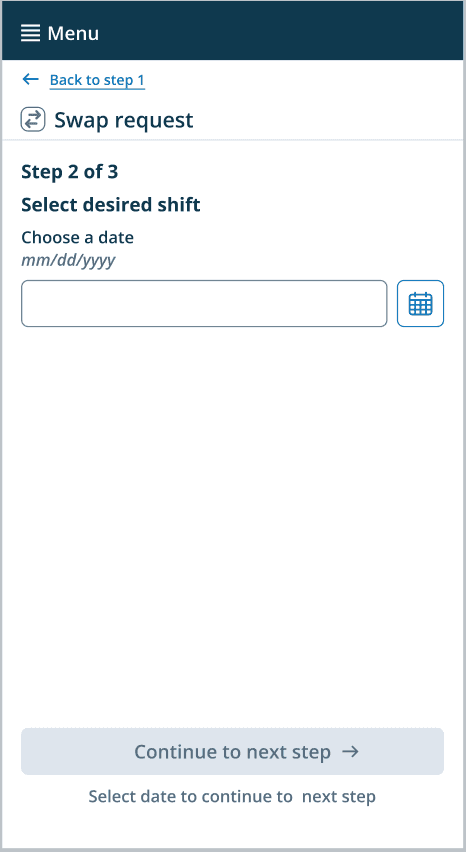
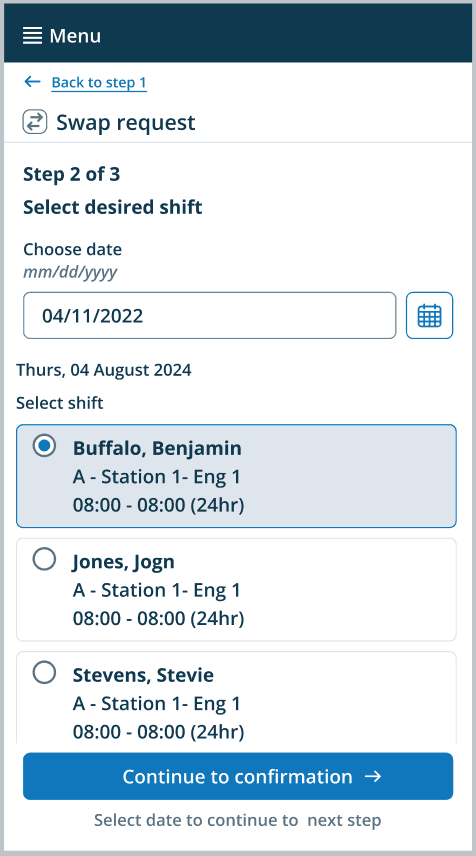
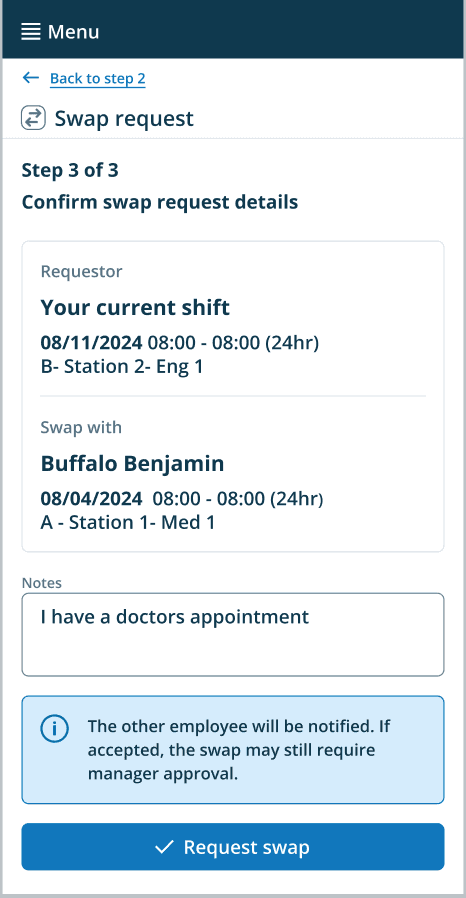
Use of progressive disclosure
The interface reveals information step by step, starting with a simple setup request form and gradually showing more detailed options like calendar selection and specific scheduling details.
Chunking
Tasks are broken down into manageable steps rather than overwhelming users with everything at once.
Contextul information
Each frame shows relevant information for that specific step, avoiding information overload while keeping users oriented.
Feedback from the beta launch, gathered through feedback forms, usability testing, and interviews, revealed two critical needs:
Search flexibility – Users wanted to find specific colleagues, not just browse shifts by date.
Partial shift swaps – This existing feature was heavily used. Removing it would have blocked agency adoption of the new user flow.
I addressed both in Version 2 by adding person - based search and ensuring partial swaps remained integrated into the workflow.
Flexibility
The "Swap part of shift (partial swap)" checkbox provides advanced options without cluttering the main flow. Version 2 accommodated both full and partial shift swaps.
Context retention
The right screen shows "Your shift to swap" section, this provided context to the user from the previous selection.
Design decision
Observing users during testing showed they logically approached swaps by first identifying which shift, then determining what portion of it. I placed time selection after shift selection to align with this natural decision making sequence.
Design decision
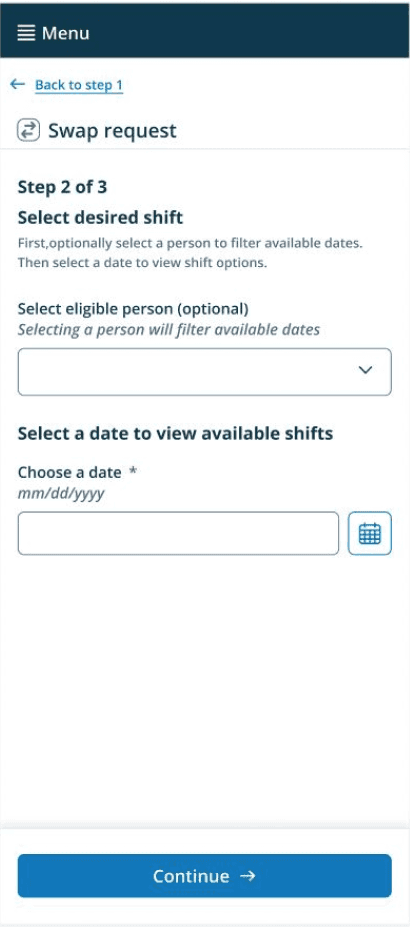
I gave users the ability to search by Person. I made this selection and optional field. By doing so I reduced friction for users who wanted to search by date only.
Helpful contextual information
The Explanatory text clarifies that selecting a person will filter available dates.
I added clear instructions to tell users what each field does before they interacted with it.
Error prevention
I added help text in the optional select eligible person field that filters available dates. This helped users understand that they will see relevant options only.
Format guidance on the date field aims to prevent date input errors.
Manager approval
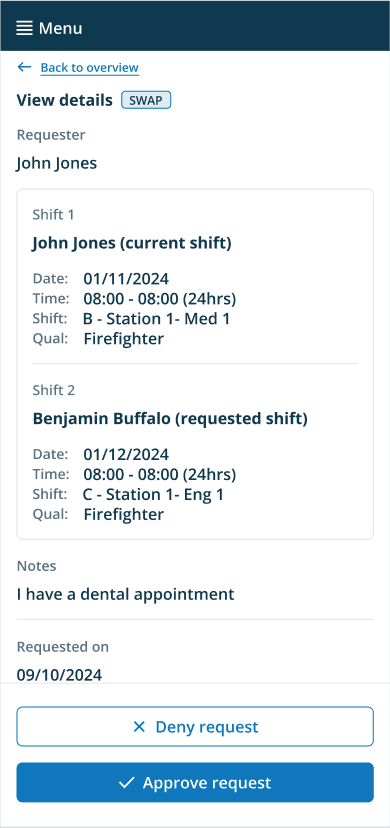
The approval interface presents all relevant swap details upfront - both shifts, qualifications, times and the requester's reason, allowing managers to make informed decisions quickly.
Streamlined approval
The "Approve request" button allows managers to approve shift swaps with a single action. Upon approval, the schedule updates, this automatically eliminates the manual work of editing the schedule and reassigning shifts.
Learnings
Beta
This beta proved to be a success and customers loved being a part of it. Advocating for a beta launch rather than going straight to full release proved critical. It created space to validate assumptions with real users and iterate based on actual usage patterns and feedback, not just predicted ones. For example, the beta revealed critical gaps, like the need for search by person that wasn't apparent in initial research.