Case study 1
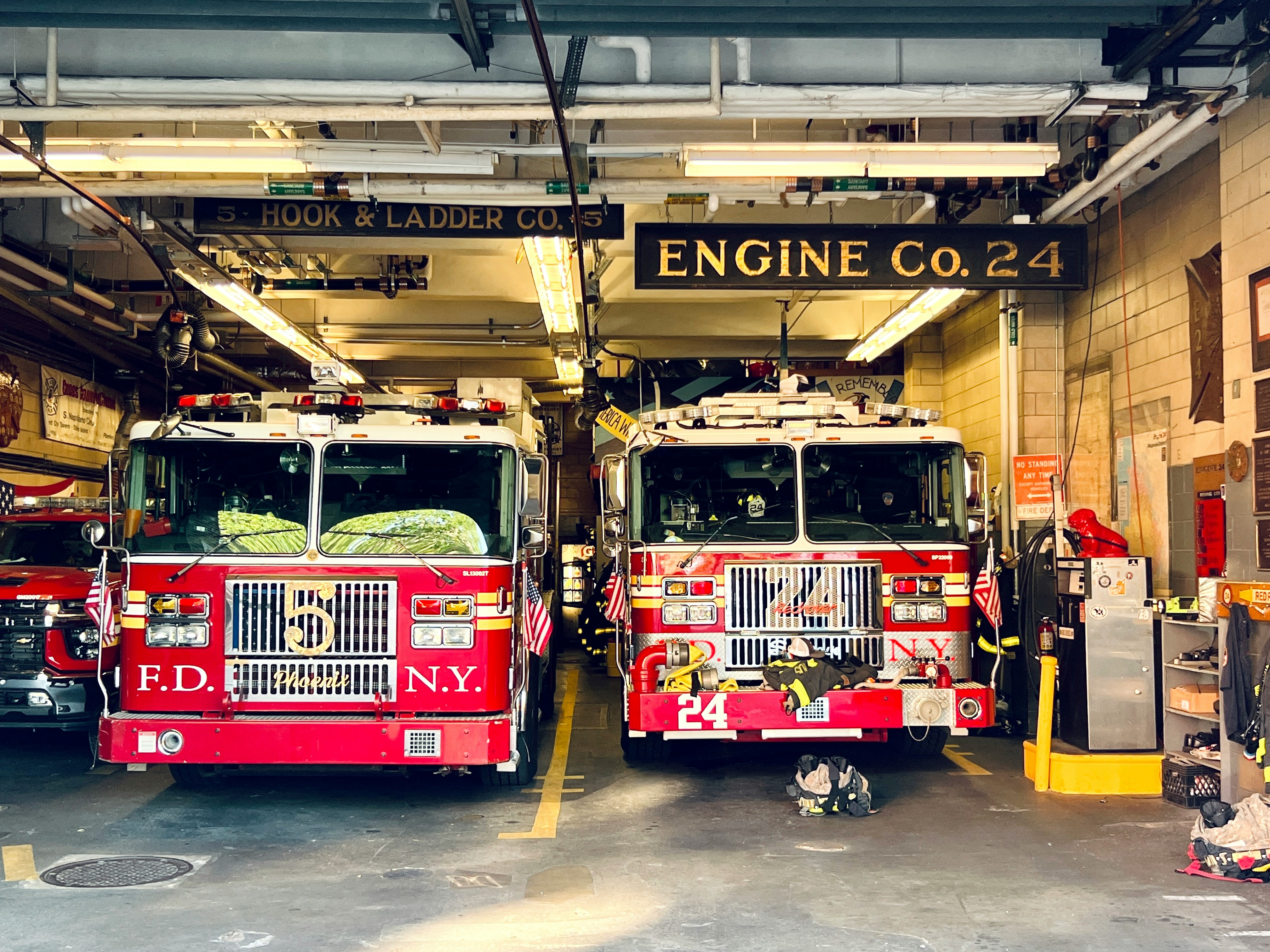
Lead product designer on a 7-engineer team, developing a preventative maintenance solution for Fire and EMS departments. This enabled fleet managers to set up recurring maintenance schedules for tasks such as services, oil changes based on calendar / miles / hours.
The goal: prevent customer churn while driving migration from the legacy platform to improve operational readiness for Fire & EMS teams.
Collaboration
Stakeholder interviews and led cross functional workshops to define the problem, goals, the users and understand priorities.
User interviews
Conducted interviews with customers and SMEs to understand needs and pain points.
Data analysis
Conducted data analysis on existing solutions and customer behaviour.
Storymapping
Led story mapping workshops in collaboration with the Product Manager to identify and prioritise key features for development.
User testing
Wireframing / prototyping and usability testing solutions / continuous iterations.
Through stakeholder interviews and user research, I found a pattern emerged: agencies who purchased the new platform weren't using it. The same feedback surfaced repeatedly - without recurring maintenance scheduling, fleet managers couldn't schedule oil changes, track inspection cycles, or plan preventative service to prevent breakdowns and track service history, ensuring operational readiness.
The platform was missing a critical fleet management function.
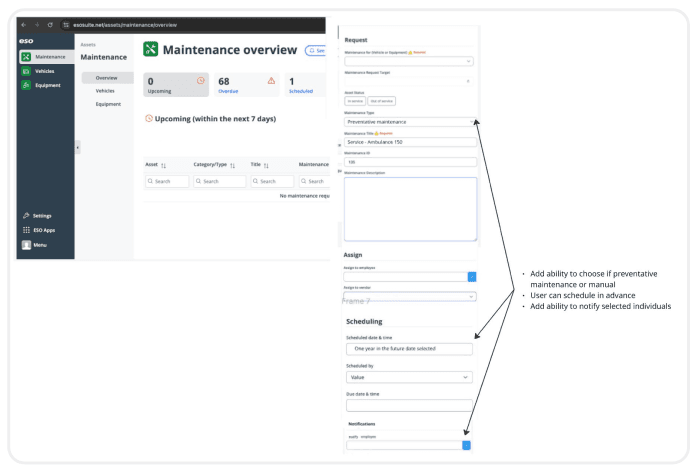
Concept A.
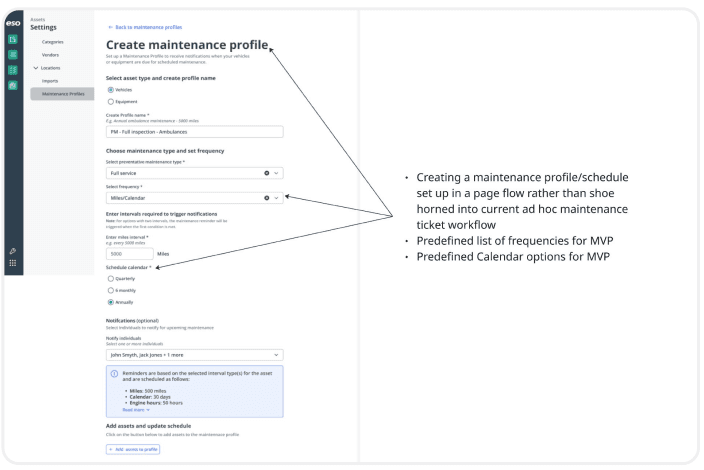
Concept B.
Feedback from subject matter experts and customers pointed clearly to Concept B. Concept A's approach wouldn't accommodate the varying needs across different agencies, risking future rework. Concept B offered the flexibility and scalability required, since agencies had varying requirements.
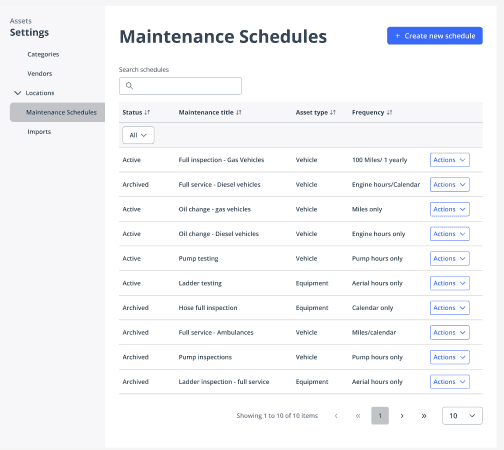
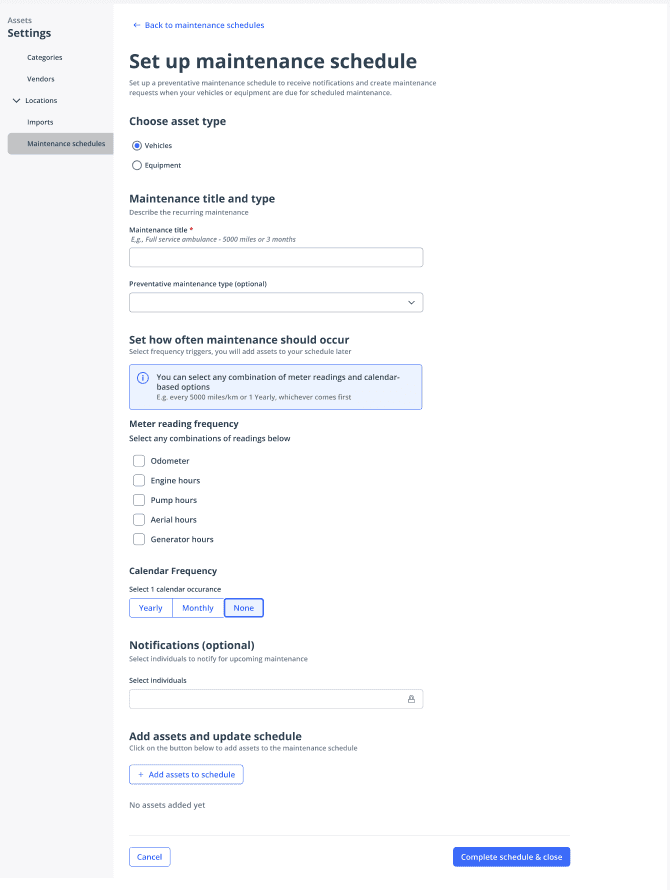
Linear workflow structure
I organised the complex scheduling process into a logical, top-to-bottom flow that guided users through each decision point sequentially (title > frequency > calendar > notifications > add assets).
Clear information hirearchy
I used consistent headings, subheadings, and visual grouping to create scannable sections that helped users understand where they were in the process.
Contextual help and examples
I designed the workflow so users set up schedules just once. For new users and users returning occasionally, I included helper text throughout to provide guidance (e.g., "e.g. full service ambulance - 5000 miles or 3 months") to reduce cognitive load, prevent errors and aid task completion.
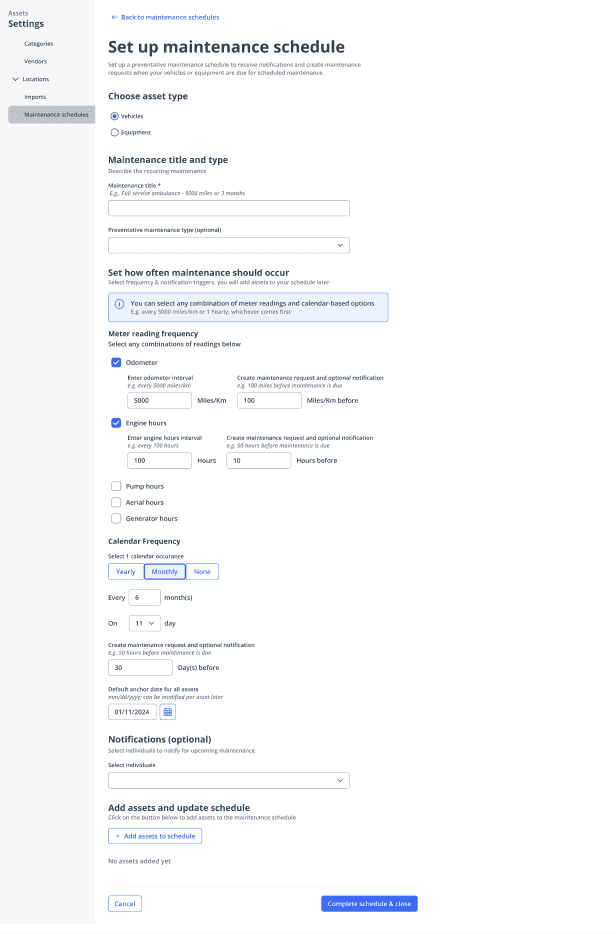
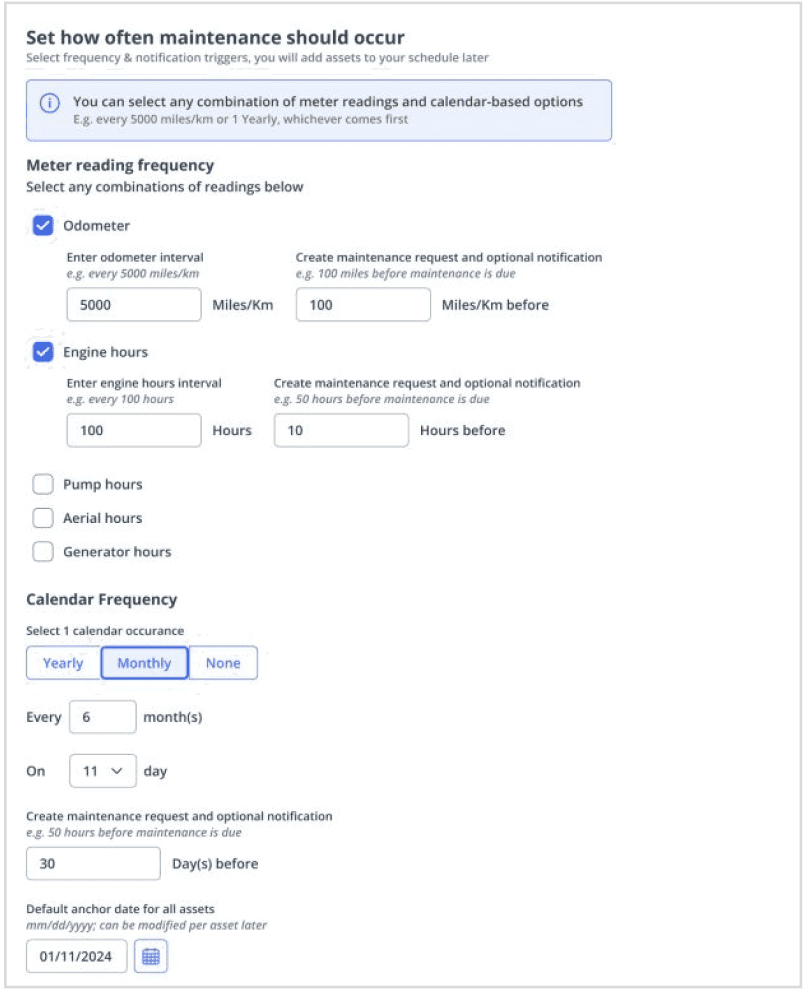
Usability testing with 8 users revealed that flexibility and user control were a must have.
This insight drove a key design pivot: rather than predefining maintenance intervals, I enabled users to create custom schedules using any combination of metrics - odometer readings, engine hours, or calendar dates.
This gave users control over how maintenance is scheduled to fit their specific operational needs.
Use of progressive disclosure
Input fields for intervals and notifications appear only after users select their meter reading types so they weren't overwhelmed by irrelevant options upfront. This reduced cognitive load and prevented configuration errors by showing only relevant options based on user selections.
It prevented interface clutter while maintaining workflow efficiency.
Efficiency
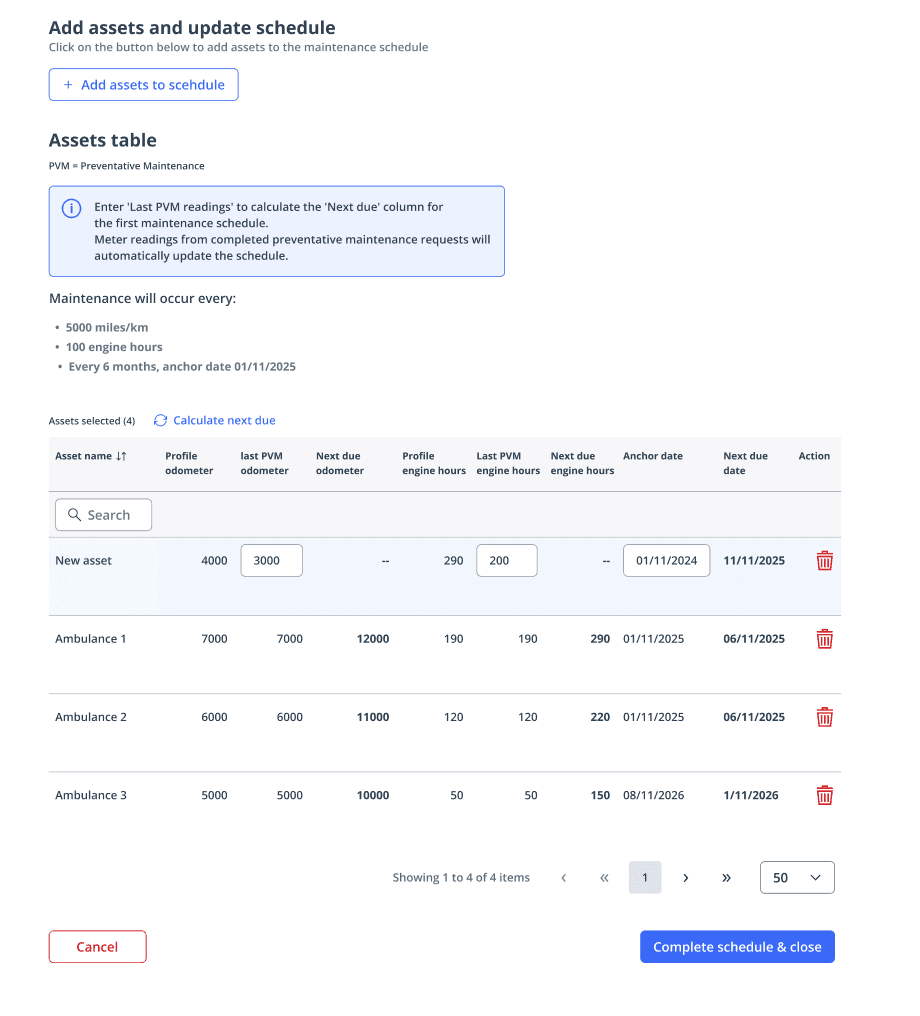
Fleet managers can add multiple vehicles to the schedule at once, saving significant time. This was a must have since a number of agencies manage fleets of over 100 vehicles. This eliminated the need to manually create schedules for each vehicle individually.
Design decision: Automatic vs manual calculation
The assets table initially featured automatic calculation of the "next due date" based on the last preventative maintenance. However, technical constraints around real-time data processing made this approach too complex and risky to implement reliably.
We pivoted to a manual "calculate next due" button at the table level, allowing fleet managers to trigger calculations for all assets at once rather than having values update automatically as data changed. This compromise balanced technical feasibility with user needs.
Constraints
Early on in this project we knew there would be technical constraints that would affect what we could deliver. Involving the engineering team early in the process and receiving their input regularly was vital to ensure the project was feasible whilst still meeting user needs and staying within technical constraints.
Measuring success
Due to competing project priorities, it was later in the project where we defined impact metrics. On reflection we should have set these at the outset, during the problem definition phase ensuring clearer alignment on success criteria from day one.
Data analysis
Maintaining regular user feedback loops throughout the design process was essential. This ensured we built what users actually needed. Without it, we would have faced adoption barriers.